
A similarity between the iPhone 12 and the iPhone 12 Pro is the phone’s battery life. Both are passable, yet this is one rung down from 2019’s iPhones. I have typically been getting around 4.5 hours of screen time per charge on a mix of 4G, 5G and Wi-Fi. And for most people, that only a full day of usage, and this includes a tiny buffer amount. For example, I was easily able to have at least a day-and-a-half from the iPhone 11 and also from the iPhone XR. A full day per charge is fine, however it would have nice to have a larger safety net for those days where you go extreme.
And speaking of charging, Apple has gone with an interesting decision to cease bundling power bricks and earbuds with phones because of environmental concerns. So all you will see in their box, other than the iPhone 12 itself, is a USB-C to Lightning cable. I do not think it is a big deal. EarPods are awful, and most of us will have a charging adaptor anyway. The tricky part is Apple’s selection of cable. You’ll be needing a adaptor with a USB_C port to use the cord (or a computer) but if you’re upgrading from an iPhone 11 Pro Max, the iPhone power brick will come with a USB A port.
Yet you may utilise the current cable and charger, but you will not see the the quick charging speeds the iPhone 12 can achieve. If you desire to purchase a USB C power brick, you are paying about $30 in order to purchase one.
Magnetic Charging
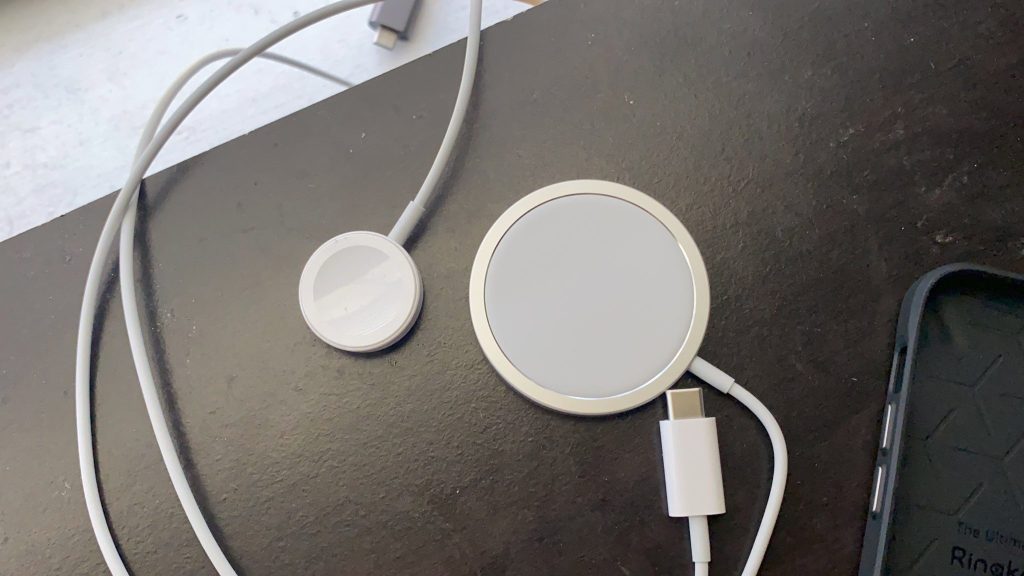
and of course, Apple also has their new wireless charging protocol: . This is a puck-like wireless charger that magnetically snaps to the rear of an iPhone 12. This gives perfect alignment to get faster wireless charging, this means you can use your phone as it is being wirelessly charged – which you simply cannot do with a normal wireless charger. You’ll able to have a quicker top up with a wired charger, however MagSafe can charge your iPhone 12 from zero to 40% in about thirty minutes.
Additionally getting MagSafe will cost you more. You’ll need to pay $65 for the charger itself, and $29 should you require the USB-C charging adaptor. If you’re wanting the magnets to snap to your case or cover, you’ll also need a MagSafe compatible cover. Your MagSafe charger will provide charge through most covers, it will not stick to it. MagSafe covers start at $79.
While there are parts of MagSafe that are proprietary, it will work as a normal wireless charger that charges with any device that supports it. The charge time is a bit slower as fast. As of right now, MagSafe is a new, fun but somewhat expensive option, but I’m really curious in seeing where the system will end up.
Because a lot of iPhone owners don’t have a MagSafe charger for their disposal, there sure is definitely a lot of potential for MagSafe accessories such as vehicle holders where this will be useful.
Read more technology news, reviews and tutorials at Tech World Blog.
 Tech World
You must be logged in to post a comment.